

- Forward runtime headers like trace IDs or tenant context to the upstream server
- Tell the MCP server who’s calling by forwarding authenticated user identity
- Validate tokens at the edge before requests ever reach the upstream server
- Customize OAuth behavior when the upstream server’s defaults don’t work
- Bring your own auth with an external identity provider for enterprise SSO
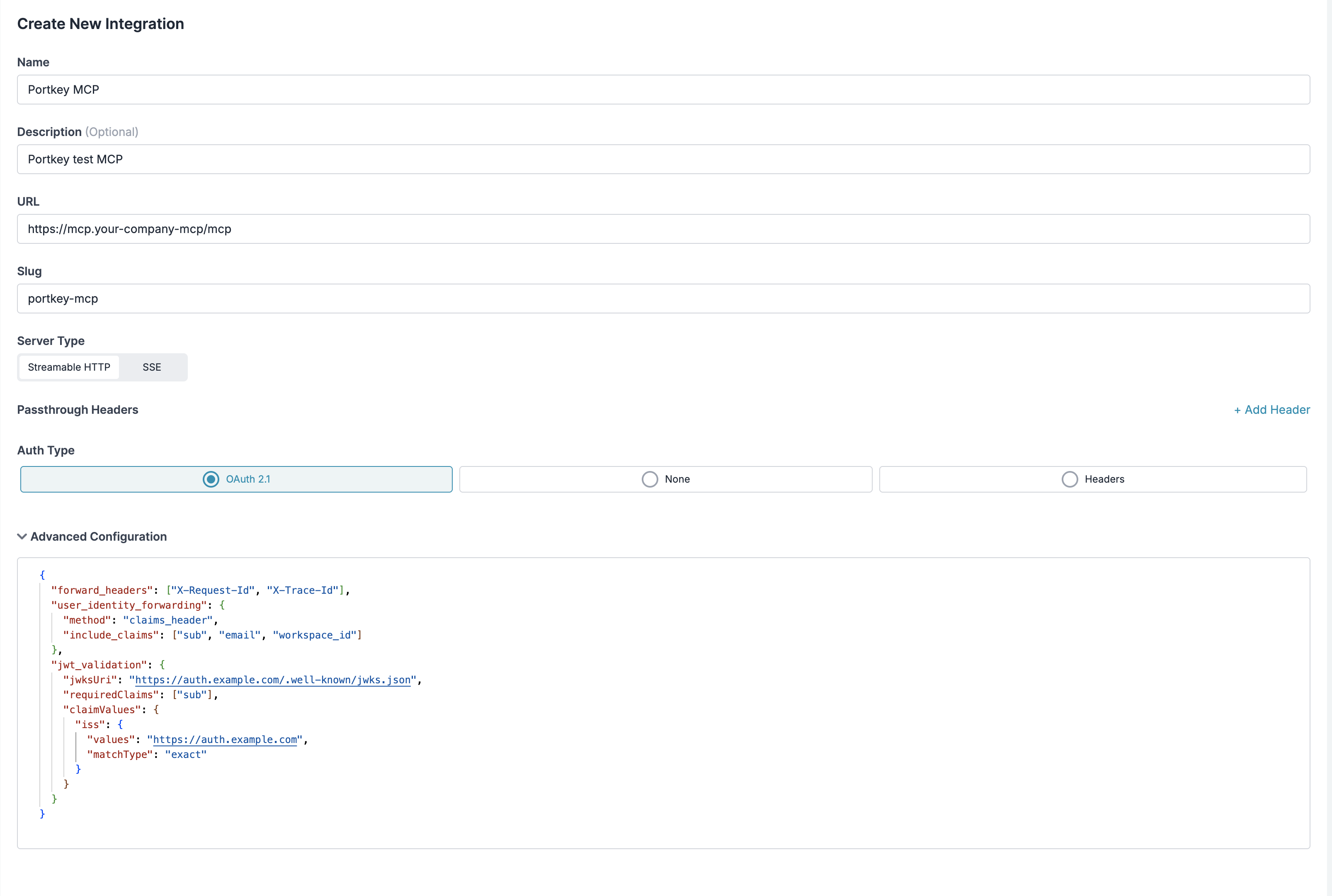
What You Can Configure
| Key | What it does | When you need it |
|---|---|---|
forward_headers | Pass client request headers to the upstream server | Distributed tracing, tenant context, custom metadata |
oauth_metadata | Override OAuth discovery defaults | Upstream server needs non-standard OAuth config |
user_identity_forwarding | Tell the upstream server who is making the request | Per-user authorization, audit logging, personalization |
jwt_validation | Validate client JWTs at the gateway edge | Bring-your-own IdP, enforce auth before proxying |
external_auth_config | Use an external OAuth provider instead of Portkey’s | Enterprise SSO with your own IdP |
Forward Headers
Forward specific headers from the incoming client request to the upstream MCP server. Unlike static headers, these are dynamic — they capture whatever the client sends at runtime. Two modes: allowlist (only forward listed headers) and all-except (forward everything except listed headers).Forwarding Headers
Allowlist vs all-except modes, priority rules, and full configuration options.
OAuth Metadata
Override the OAuth endpoints and parameters that Portkey discovers from the upstream server’s/.well-known/oauth-authorization-server. Only relevant when Auth Type is OAuth 2.1.
OAuth Client Metadata
Full list of overridable OAuth fields and registration customization.
User Identity Forwarding
After authenticating a user, Portkey can forward their identity to the upstream MCP server. The server gets to know who is making the request — without implementing its own auth. Three methods:| Method | What the upstream server receives |
|---|---|
claims_header | JSON object with user claims in X-User-Claims header |
bearer | Original OAuth access token in Authorization header |
jwt_header | Portkey-signed JWT with claims in X-User-JWT header |
Identity Forwarding
Method comparison, claim selection, custom headers, and JWT verification.
JWT Validation
Validate incoming client JWTs before proxying to the upstream server. The gateway rejects invalid tokens at the edge — the upstream server never sees them. Supports three validation methods: JWKS URI, inline JWKS keys, and token introspection (RFC 7662). You can also enforce required claims and match claim values.JWT Validation
JWKS, introspection, claim matching (exact, contains, regex), and full options reference.
External Auth Config
Enterprise only — available for self-hosted deployments.
Bring Your Own Auth
Full setup for external OAuth providers, dynamic registration, and pre-registered credentials.